Digital Concepts Lesson 1
|
Grade 3 Digital Concepts Lessons | D.3 |
|
Lesson 1: Computing Devices – How They Follow Instructions |
|
LEARNER NOTES|CAPS 2025 Aligned | Foundation Phase Coding & Robotics |
 🔁 RECAP — Previous Lesson 🔁 RECAP — Previous Lesson
In Grade 2 we learned that computing devices receive input and produce output. Now in Grade 3 we go deeper: we explore HOW devices follow and interpret instructions, just like a robot follows a code. |
|

| 📖 KEY VOCABULARY |
| Input Information or instructions going INTO a device (e.g. pressing a button, speaking) |
| OUTPUT What the device produces or does AFTER receiving input (e.g. sound, picture, movement) |
| Process What happens INSIDE the device – it follows instructions to turn input into output |
| Interpret To understand and carry out instructions |
| Instruction A command that tells a device (or robot) what to do |
| 🧠 KNOWLEDGE — What You Learn |
| COMPUTER COMPONANTS RECAP |
1. WHAT IS A COMPUTER?
A computer is a machine made of different parts that work together to help us learn, play, and solve problems.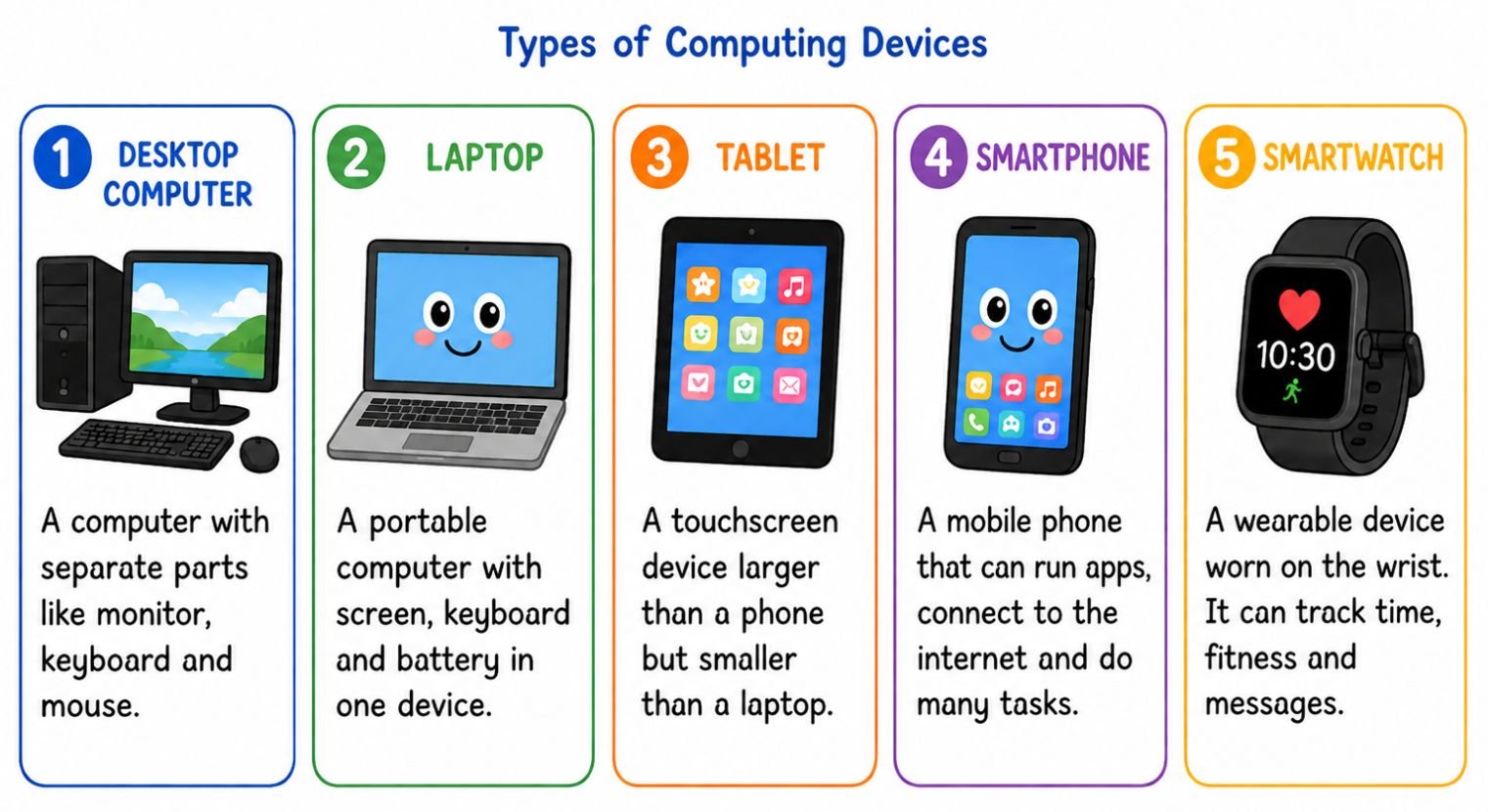

2. COMPONANTS OF A COMPUTER
Computers have different parts. Each part has its own job to help the computer receive input and give output.

| SECTION 2: Where Else Do We Find Computers? |
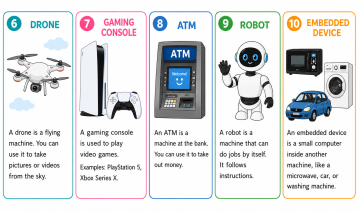
1. OTHER TYPES OF COMPUTING DEVICES?
Computers are not only found in computer labs. Many everyday devices also have computers inside them. Those devices include:
2.COMPUTERS AND ROBOTS – THE LINK
Robots and computers are connected because a robot is controlled by a computer system inside it. The computer acts as the robot’s brain, helping it follows instructions, process information, and control its actions. Without a computer, a robot cannot move, respond, or complete tasks. This is why robots and computers are closely linked.

| 🎯 ACTIVITIES — What You Do |
|
HOMEWORK ACTIVITY |
| Look at Workbook – Gr3 – Digital Concepts – L1 – Homework Activity
1. Write the type of computing device you would find in those places 2. Look at the pictures of devices (A–G). Write each letter in the correct column — either INPUT DEVICES (things we put information in) or OUTPUT DEVICES (things that give information out). 3. Draw either an OUTPUT device in the box provided. Then write the name of your device on the line. 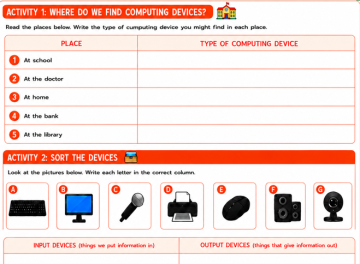 |
 ”Robots and computers are closely linked because a robot needs a computer inside it to control how it works. The computer helps the robot follow instructions, make movements, and complete tasks. This shows that computers are an important part of how robots’ function.”‘ ”Robots and computers are closely linked because a robot needs a computer inside it to control how it works. The computer helps the robot follow instructions, make movements, and complete tasks. This shows that computers are an important part of how robots’ function.”‘
Well done, Code Explorer! Today you learned: ✔ how a device follows and interprets instructions ✔ describe input to output for any device ✔ The link between a computing device and a robot |
|
ASSESSMENT CHECKLIST (Student Observation) |
||||
| Observable Skill | Yes ✔ | Partly ◑ | Not Yet | CAP S Tag |
| Can name a computing device and explain it receives input | □ | ◑ | ○ | D.3 |
| Can give one input and one output for a named device | □ | ◑ | ○ | D.3 |
| Can explain that a device follows instructions | □ | ◑ | ○ | D.3 |